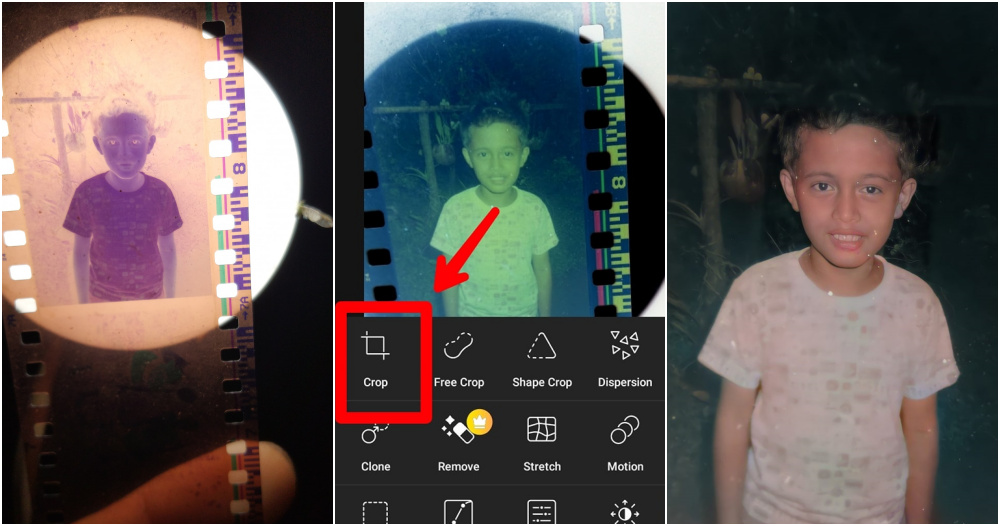
We’re sure most of you still have negative films lying around your house somewhere.
But with today’s technology, who uses negative films anymore, right? Nonetheless, these negatives are bound to keep the bittersweet memories of your childhood when things were a lot simpler as compared to how they are now.
If you never had the time to develop these negatives or you’re curious to see what these negatives contain, you can simply do it by yourself! Here is how you can do it.
According to a netizen from Philipines, Edward Villanueva Destua, who is an upcoming YouTuber and part-time photographer, all you need are these 2 applications: Picsart and Remini.
Download these 2 applications on your phone and you can start ‘developing’ your pictures. Just follow these 6 simple steps:
1. Take a picture of the negative
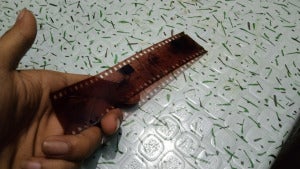
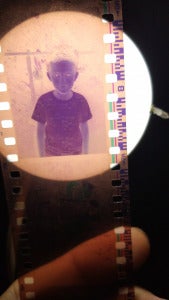
Place the negative film in front of a bright light, so that the image is clearly sought by the light. When the image is visible, snap a picture of it using your phone camera.
Here are some pictures for guidance:
2. Use the Picsart & Remini applications
Make sure you have the Picsart and Remini application installed on your phone!
For those of you who are using IOS, click here to download Picsart and here to download Remini.
As for those of you using Android, click here to download Picsart and here to download Remini.

3. Picsart: Choose ‘Effects’ & ‘Colours’
Open up the Picsart application and upload the picture you have taken of the negative. Look for ‘Effect’ and click it.
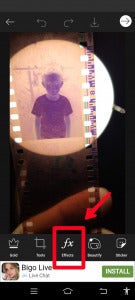
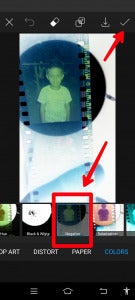
From there, search for ‘Colours’ and click on ‘Negative’.
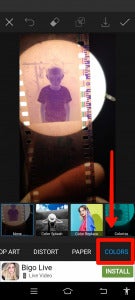
By doing so, the picture of the negative will start to show colour.
It’ll look something like this:
4. Crop the picture
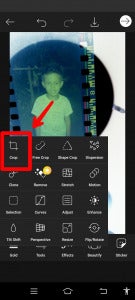
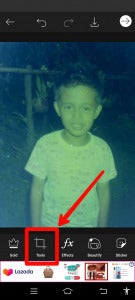
After developing colour on the negative, you can crop the picture to the size of your choice.
You never know what kind of condition you’ll find your old photos in so if the image appears too large or untidy, just crop it and it’ll look neat. Once you are done, click ‘Save’.
5. Open up Remini & click on ‘Enhance’
Once you are done cropping the picture and saving it using the Picsart application, you can now head to the second application, Remini.

From there, click on ‘Enhance’ and select the photo you saved previously when using the Picsart application.

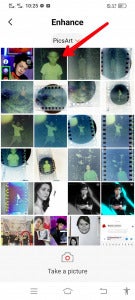
The application will then change the look of the image and it will seem more visible and clear.
It’ll look something like this:
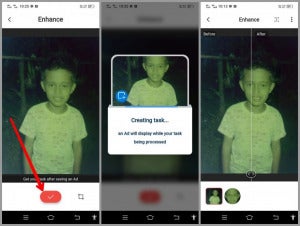

6. Click ‘Colourize’
Go back to the main page, click ‘More’ and select ‘Colorize’.
The picture will be even more visible and coloured, as though it were fully developed!

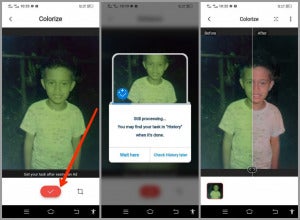
And this is the final result!

That’s pretty much it! And it only takes you less than 10 minutes.
So, for those of you who still have these old negatives at home, give it a try.
Aren’t you curious to take a walk down memory lane? Or maybe you would just like to see pictures of your parent’s faces when they were much younger!
Would you give this a try? Let us know in the comment section below!
Also Read: Man Gives His Fiancée 5 Different Engagement Rings To Choose From In Viral Proposal